DigiCel FlipBook Makes Animation Easier!

The New FlipBook Will Run On Your Mac, iPad and iPhone
Designed For Students – Adopted By Pros

FlipBook was designed from the ground up with unique animation tools to make it easier for students to learn, teachers to teach, and professionals to create.

Now What Could Be Easier Than That?
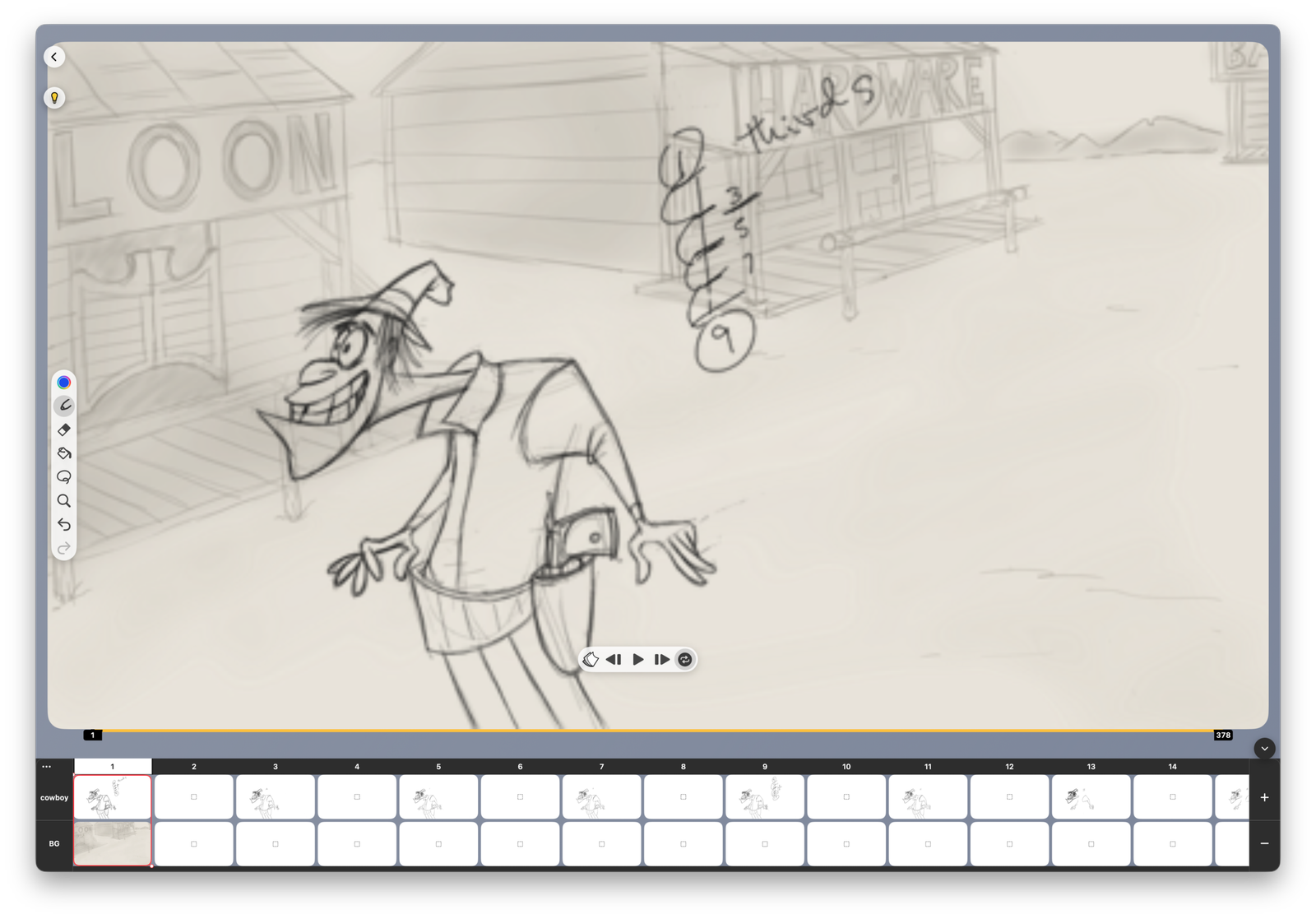
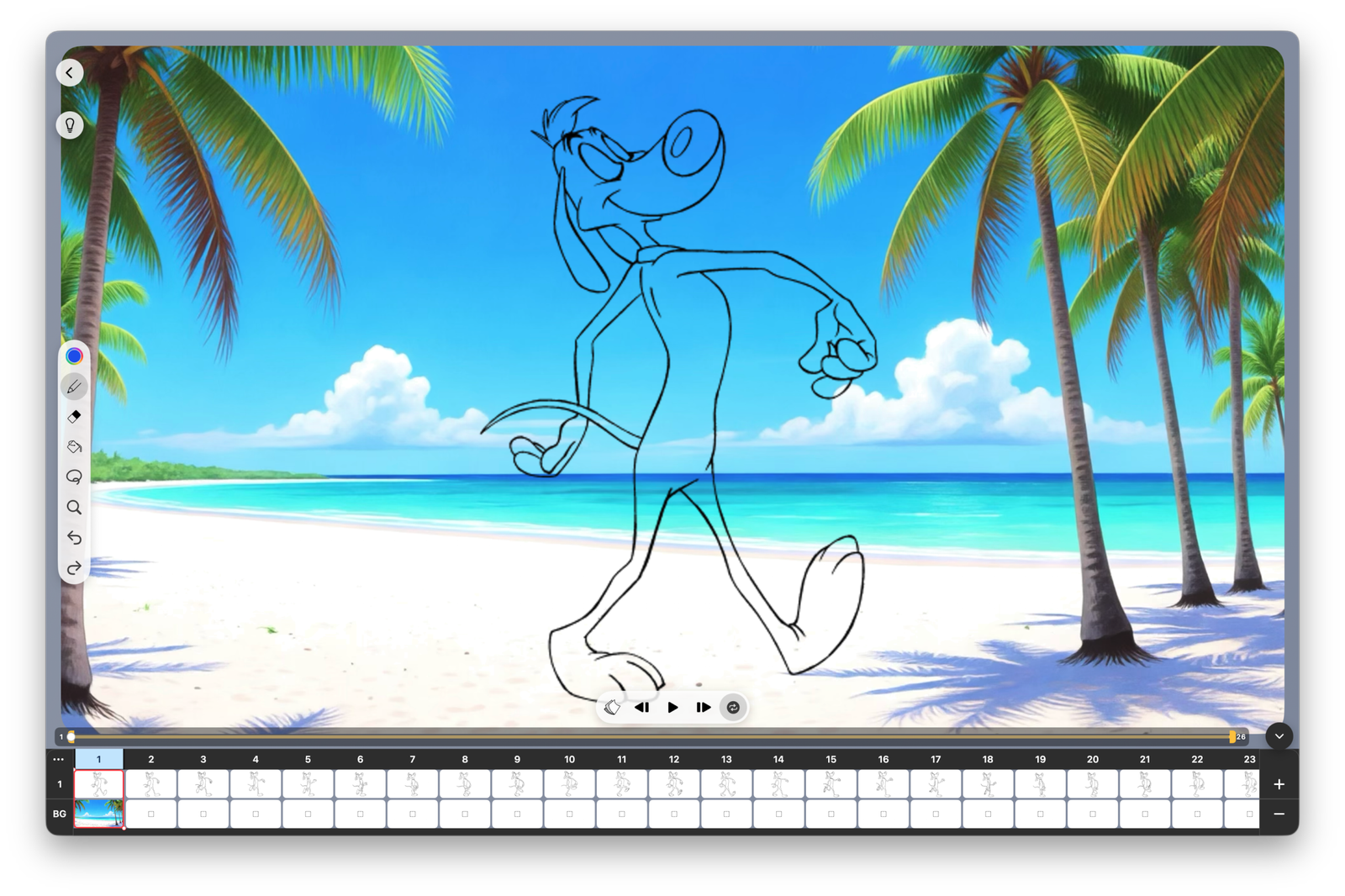
It’s like a media player with a few additional icons.

This is a new version of FlipBook designed for the Mac & the iPad so you can use it on the go without a keyboard.
You get the simplicity of an iPad, the natural feel of the Apple Pencil and FlipBook’s famous ease of use.
And you can do things in FlipBook that can’t be done in any other app.
The NEW FlipBook Makes Animation
Faster, Easier And Better

Screen Shot Image

Easier To Teach

FlipBook makes animation easier to teach because its intuitive interface works like a media player with a few extra icons for drawing and painting. That means you can spend more time teaching animation instead of teaching software.

Easier To Create

Warp Clip

FlipBook makes animation easier to create because it works the way you do. Its tools and workflow stay out of your way, so you can focus on your creative ideas instead of fighting complicated software.

Timing Clip

Easier To Learn

FlipBook makes animation easier to learn with unique features like Real-Time Timing  that lets you add and delete frames while the scene continues to loop, changing the timing as you watch. Students can experiment with timing and immediately see the results.

DigiCel FlipBook Has Lots of Features The Other Apps Don’t

Easier to Learn!      Easier to Teach!      Easier to Create!

Advanced
Drawing Tools

FlipBook has Shape Recognition and versatile Rulers to help you draw and edit straight lines, perfect curves, round circles and perfect squares. It also has Warp and Liquify tools to make it easier for you to improve things you’ve already drawn or as you draw them.

Faster
Painting Tools

You can drag the paint bucket just like a brush and instantly fill any area it enters. If you tap and hold the paint bucket it will fill any empty areas in the entire frame all at once. Hold it a little longer and it will fill all the enclosed areas in the entire layer.

Unique Timing Tools
FlipBook is the only app that lets you add or delete frames to adjust the timing – while the scene continues to loop. This lets you see the effect of the changes immediately and compare different timing options faster and easier than ever.

The Ultimate
LightBox

It’s like a traditional animation disc. Every drawing you open goes on top of your recent drawings. So you can see any combination of drawings you want. You can also see a layer of roughs while you do the cleanups and show the BG any time.

Super Easy
Pan, Zoom, Rotate

FlipBook is one of very few apps that let you Pan, Zoom & Rotate your scenes. It also let’s you Blur & Dissolve for smoother transitions.  This frees your creativity to call attention to what’s important & makes your scenes more interesting to watch.

Global Undo

For the icing on the cake, and the ultimate in safety and ease of use FlipBook lets you undo all the way back to the creation of the scene. Whether you’re editing an image, changing the timing in the xsheet or adding a pan and a zoom
– recovery is just a click away.